
Mapping Schema Columns
The information on this page relates to the new upgraded interface of the IConduct platform. To view information about the Classic version of the user interface, follow this link.
The ability to correlate between the data fields in the source/target systems and the task schema table is critical. Schema mapping is a very important part of the definition of the steps that make up a task for a specific interface. The data fields in the schema table must match the data in the source/target systems in both content and format.
Schema mapping is an inherent part of any import or export step that deal with transmitting data from/to endpoint.
When a new step of this type is created, the Schema Mapping folder appears in the navigation pane, below the step. For a new import/export step, Export Mappings and Import Mappings folders become available.
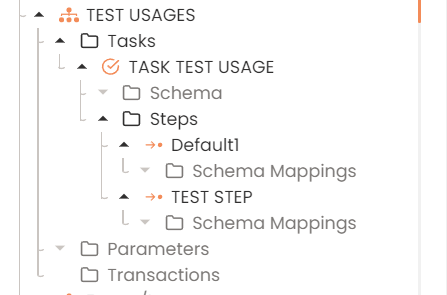
Schema Mapping Folders
Both the Import Schema Mapping page and the Export Schema mapping page are divided into 3 sections:
- Schema column lists all the fields in Schema. Its location depends on page type – right for an import step and left for an export step.
- Source/Target column corresponds to the columns in a source system for import/target system for export to match with schema.
- Mapped Columns displays the matched fields.